 OverTor
An appointment waitlist: how a cancellation becomes a booked slot
How an appointment waitlist turns every cancellation into a booked slot: joining for a full day or a day not yet open, an automatic offer when a slot opens up, and a choice between first in line or everyone.

Every owner of a business that works by appointment knows the moment: the customer cancels, and a valuable slot in the calendar sits empty. At that very same time, there is probably another customer who would have been glad to take that slot, if only they had known it existed. An appointment waitlist is the bridge between those two people. Instead of calling customers one after another or posting an "A slot just opened" story, the system offers the slot automatically to whoever was waiting for it. This article explains how a smart waitlist works, when to use each of its options, and how to get the most out of it.
Why a manual waitlist doesn't work
Many businesses keep a waitlist in a notebook or in messages. It sounds simple, but in practice:
- When an appointment opens up, you have to remember to check the list, sometimes in the middle of a treatment.
- You have to call or send a message, wait for an answer, and if there is none, move on to the next person.
- By the time you find someone, the hour has passed, or the customer has already made other plans.
- There is no fair, transparent way to know who asked first.
The result is that most canceled slots simply stay empty, even when there is demand.
How a smart appointment waitlist works
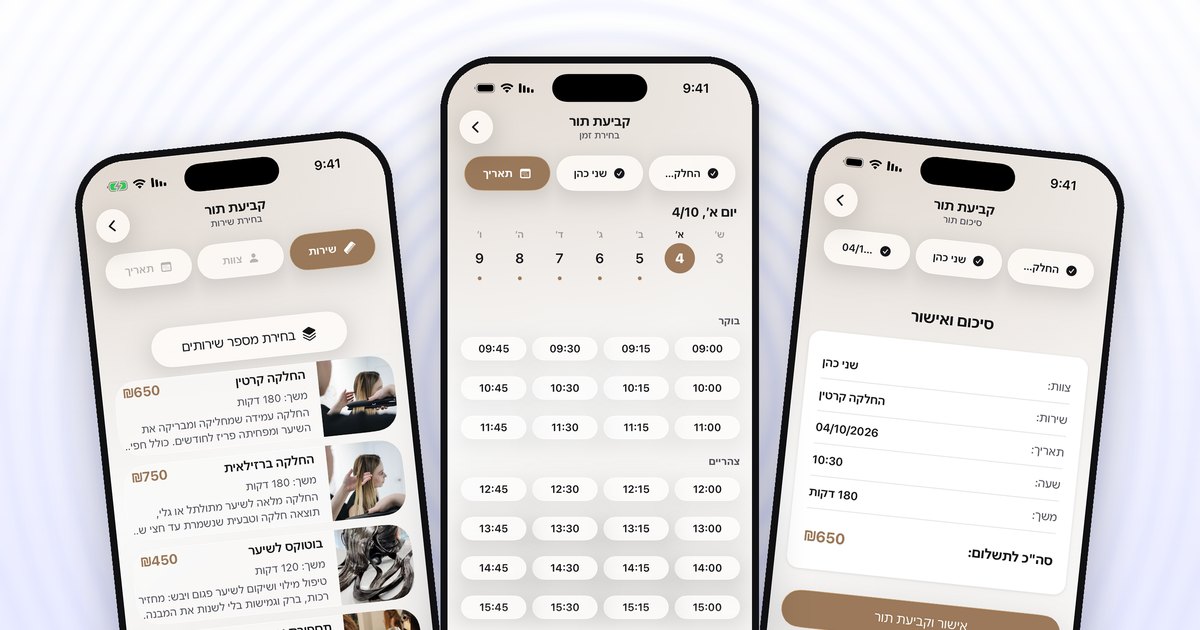
In OverTor the waitlist is part of the booking process. A customer who opens your business page and doesn't find a slot can join the list in a few situations:
- A full day. All the times on a certain day are taken, and the customer wants that day in particular.
- A day that hasn't opened yet. When the business works with a booking window or opens its calendar gradually, a customer can sign up for a day that isn't open for booking yet.
The moment someone cancels, or a slot opens up for any other reason, it is offered automatically to the waitlist. The owner doesn't have to do a thing. The customer gets a notification on their phone, opens it and books.
Priority to the first in line, or everyone at once
The most important decision in setting up the waitlist is how the open slot is offered. In OverTor the owner chooses between two methods:
Priority to the first in line
The slot is offered first to whoever signed up first. This method is fair and fits when customers expect a clear order. It is especially suited to:
- Businesses with regular customers who value fairness, such as a clinic or a personal trainer.
- Long treatments that customers plan in advance.
- Cases where the appointment opened up well ahead of time, so there is time to let the first person respond.
A message to everyone at once
Everyone on the list gets a message at the same moment, and whoever books first gets the slot. This method fills the slot the fastest. It is especially suited to:
- Last-minute cancellations, when there is no time to wait for one customer's response.
- Busy periods, such as before holidays, when the list is long.
- Short, in-demand services, such as a haircut or gel polish.
There is no single right method. Try one, see how your customers respond, and adjust.
An example from the field
A barbershop with two barbers, a Thursday before a holiday. The calendar has been full since the start of the week, and six customers have joined the waitlist for that day. At ten in the morning a customer cancels their two o'clock appointment, through the app and within the business's cancellation policy.
Without a waitlist, the slot would have stayed empty, or the barber would have tried to fill it between one haircut and the next. With a waitlist set to message everyone, the six customers get a notification, and within a short time one of them takes the slot. The barber doesn't even notice there was a cancellation.
How to make the waitlist work for you
A few simple habits that improve the results:
- Allow self-cancellation. A waitlist works only when customers cancel ahead of time instead of simply not showing up. A cancellation policy that makes it easy to cancel, up to a certain deadline before the appointment, increases the number of slots that open up in time. More on this in the guide to cancellation and no-show policies.
- Tell customers the list exists. Many customers simply don't know they can sign up. A line like "Today is full, but you can join the waitlist in the app" makes a difference.
- Combine it with gradual opening. When the calendar opens gradually based on how full it is, customers who want a day that hasn't opened yet can sign up in advance, so there is demand waiting before the day even opens.
- Match the method to the season. In quiet periods, priority to the first in line. In busy periods or for last-minute cancellations, a message to everyone.
- Watch for patterns. If there are days when the list is always long, that is a sign it is worth adding hours or a staff member on those days.
Common mistakes to avoid
- Turning the list on and forgetting about it. Go over the lists from time to time and see which days have the most demand.
- Filling gaps by hand at the same time. If someone on the staff manually books an appointment into a slot that opened up, without checking the list, customers who were waiting may feel they were skipped.
- A cancellation policy that is too rigid. When canceling isn't easy, customers simply don't show up, and the slot doesn't open in time for someone on the list to take it.
What customers get out of it
A waitlist is not only a tool for the owner. It saves the customer the frustration of "nothing available" and the need to call again and again to ask whether something opened up. The customer signs up once, gets on with life, and receives a notification when there is an opportunity. It feels like an organized business that cares about its customers' time.
The bottom line
An appointment waitlist turns a cancellation from a loss into an opportunity. Customers sign up for a full day or for a day that hasn't opened yet, and when a slot opens up it is offered to them automatically, either with priority to the first in line or to everyone at once. Combined with self-cancellation and gradual opening of the calendar, almost every cancellation can become a booked slot, without a single phone call.
Want every cancellation to fill itself? Download OverTor from the App Store or Google Play, turn on the waitlist and let the calendar work for you.