 OverTor
A QR code for appointment booking: a poster in your business and a link in your bio
How to use a booking QR code and a printed poster in your business, on the counter, the mirror and the door, plus a link on Instagram and WhatsApp, so customers book on their own, even when you are closed.
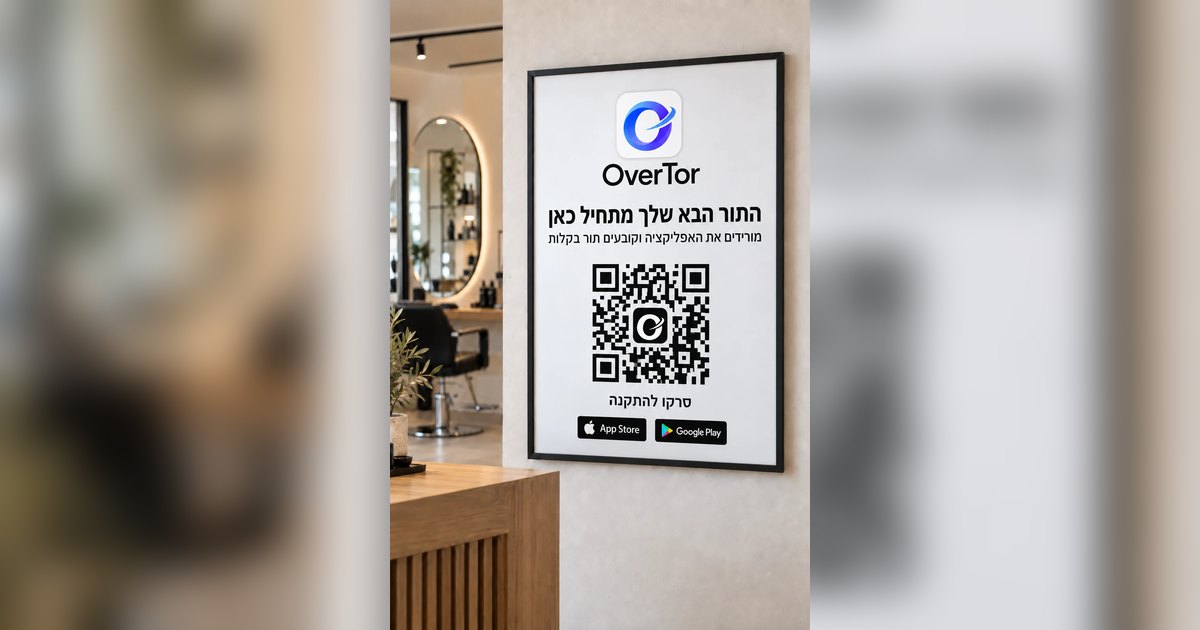
Most of your customers are already in the business, or following it on social media, and still they book their next appointment by message, by phone or with a "we'll talk." A QR code for appointment booking closes that gap: the customer points their camera, lands straight on your business page, chooses a service and a time, and is done. No waiting for a reply, and the owner doesn't have to stop in the middle of work to schedule. This article covers the places where a QR code and a link work best, how to word the invitation to scan, and what matters on the page the customer lands on.
Why a QR code for appointment booking works
The best moment to book the next appointment is while the customer is still in the business, happy with the result. Motivation is at its highest right then, but if booking takes a call or some back-and-forth, many customers put it off "until tomorrow," and tomorrow gets forgotten.
A QR code solves this because:
- There is nothing to type or search for. One scan leads straight to your business page.
- It is available even when the business is busy. The customer books on their own, even when the whole staff is in the middle of work.
- It works 24/7. A customer who scans the poster on the door in the evening, after closing, can book right away.
Where to hang the poster in your business
In OverTor you can create a printed poster (PDF) with your business's QR code, and print as many copies as you need. Placement matters a lot. Here are the spots that work:
- Next to the register or the counter. This is where people finish, pay and usually also ask "When's my next appointment?" Instead of opening a calendar, you point at the poster.
- On the mirror or beside it. In a barbershop or a beauty salon, the customer looks in the mirror throughout the treatment. A small poster in the corner gets read again and again.
- On the front door or in the window. People walking by, customers who arrive when you are closed, and those who are just peeking in can all scan and book.
- In the waiting area. Someone waiting with a phone in hand will be glad to reserve their next visit right now.
- On a business card. A QR code on the back turns the card from a piece of paper into a direct way to book.
A small tip: you don't need a giant poster. A few small posters in the right places beat one big poster where no one looks.
The link in your bio: Instagram, WhatsApp and social media
Not every new customer comes through the door. Many come through Instagram, a recommendation in a WhatsApp group or a search. Every business on OverTor has its own link and a web page at overtor.app, and it belongs wherever customers meet your business:
- In your Instagram bio, with a clear call such as "Book an appointment" above the link.
- In your WhatsApp Business profile and in your quick replies, so every "Any openings?" is answered with a link instead of a long exchange.
- In stories and posts, for example when appointments open for next month or before holidays.
- In your email signature and on Google, if the business has a business profile.
Once customers are used to getting a link, they stop asking "When do you have room?" and simply start checking. Barbershop owners will find a few more ideas on this in the article on a booking app for your barbershop.
What the customer sees after scanning
The QR code is only the door. What decides whether the customer actually books is the page they land on. In OverTor, the business page is branded with your logo, cover photo and brand color, and includes:
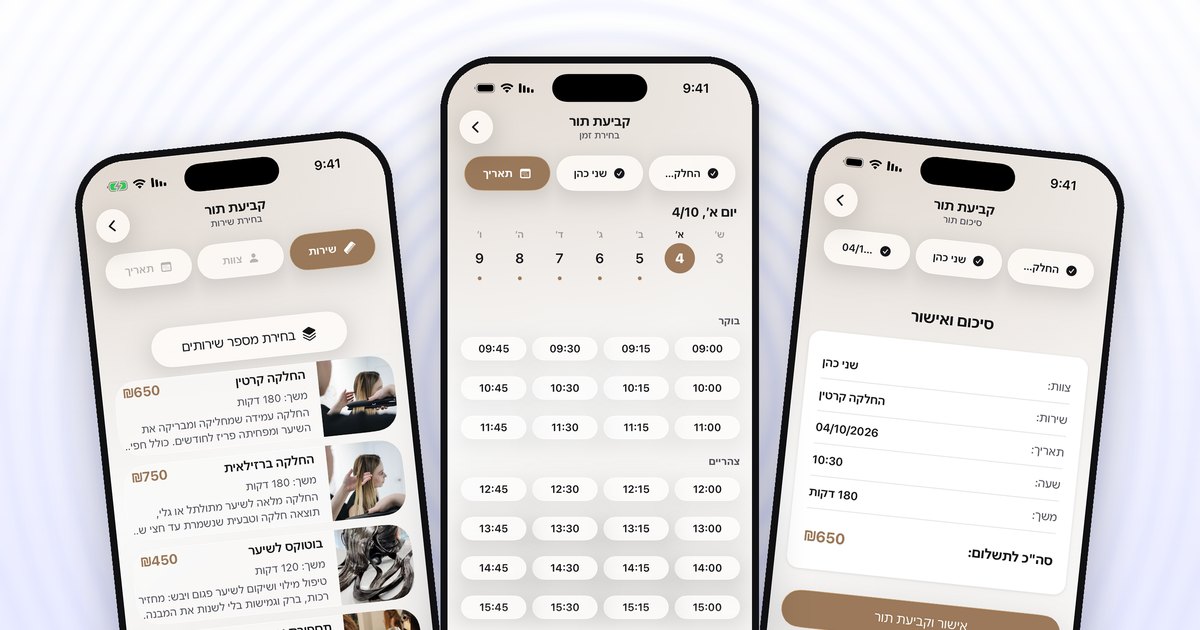
- Services with photos, prices and durations, so the customer knows exactly what they are booking.
- A choice of staff member, for those who want their regular stylist or therapist in particular.
- A work gallery and products, which help a new customer decide.
- Customer reviews, which the owner approves before they appear.
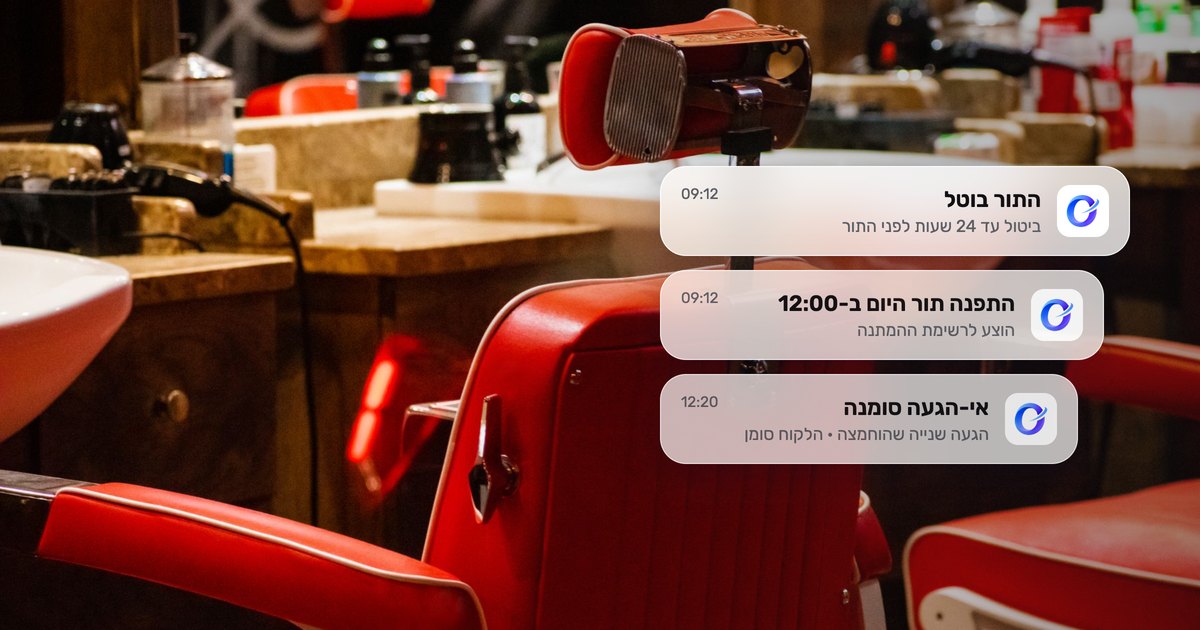
The customer signs in with one tap using Apple or Google, chooses a service (or several services in one appointment), a staff member, a date and a time, and confirms. Because booking requires allowing notifications, the reminders before the appointment reach them automatically.
How to word the invitation to scan
A QR code with no explanation is a black-and-white square that people ignore. One short line above it changes everything. A few examples:
- "To book an appointment: scan with your camera"
- "Your next appointment is one scan away"
- "Closed? You can book right now, 24/7"
It also pays to stay consistent: the same line, the same color and the same placement on every poster in the business, so customers recognize them at once. And beyond the poster, say it out loud too. At the end of a treatment, a line like "You can book your next visit by scanning the poster" gets customers used to it very quickly.
Common mistakes to avoid
- A poster somewhere dark or too high. The code should be at eye level and well lit.
- A code that is too small. Especially on the door, where people scan from a few steps away.
- A calendar that isn't up to date. If the customer scans and finds no available times, or finds times that aren't really available, trust takes a hit. Set up shifts, closures for holidays and time off, and a suitable booking window.
- A link that disappears. A link that was in the bio and then got swapped for a temporary promotion leaves customers with no way to book.
The bottom line
A QR code for appointment booking and a link in your bio are the two simplest tools for turning occasional customers into customers who book on their own. A poster next to the register, on the mirror and on the door, a QR code on your business card, and a link to your business page on Instagram and WhatsApp, all leading to the same branded page where an appointment is booked in a few taps.
Want a print-ready QR poster and a business page of your own on overtor.app? You can download OverTor from the App Store or Google Play, open a business with a free trial and hang the poster today.