 OverTor
Last-minute cancellations at a beauty salon: 7 ways to cut them down
Last-minute cancellations hurt every beauty and skincare salon. 7 practical ways to reduce them: reminders, a clear cancellation policy, self-rescheduling, a waitlist and attendance tracking.

A one-hour facial, laser hair removal, brow shaping or a manicure, and at eight in the morning the message arrives: "Sorry, I can't make it today." Last-minute cancellations are among the most frustrating parts of running a beauty and skincare salon. The time was already reserved, materials may already be prepared, and filling the slot on short notice is close to impossible. The good news: you can't prevent most cancellations, but you can make them arrive earlier, and make sure the time that opened up doesn't stay empty. Here are seven practical ways to do it.
Why customers cancel at the last minute
Before the solutions, it helps to understand the reasons. In most cases it isn't disrespect. It is one of these:
- Forgetting: the appointment was booked three weeks ago, and the day filled up with other things.
- Awkwardness: writing "I'm canceling" is uncomfortable, so the message gets put off until the last moment.
- Rescheduling is a hassle: you have to send a message, wait for a reply and agree on a new time.
- No consequences: without a clear policy, there is no reason to give advance notice.
Each of the ways below deals with one of these reasons.
Before the appointment: how to prevent last-minute cancellations
The first three ways work before the cancellation happens: they remind, they make the rules clear, and they make it easy to give early notice.
1. Automatic reminders before every appointment
The most basic step against forgetting. A reminder before the appointment brings it back to mind and gives the customer a chance to let you know if something changed. In OverTor, reminders go out automatically as push notifications, which is why booking requires allowing notifications. There are no messages to send by hand, and no customer falls through the cracks.
2. A clear, written cancellation policy
Customers respect rules they know about. Decide until when an appointment can be canceled or rescheduled with no problem, for example up to 24 hours before, and show it clearly. In OverTor the owner sets this time window in the settings, and customers can cancel or reschedule on their own only until that deadline. A few pointers:
- Match the cancellation window to the length of the treatment: a long treatment justifies earlier notice.
- Word the policy positively: "So we can offer the time to someone else."
- Mention the policy when you talk with new customers, not only in writing.
There is more on this in the guide to cancellation and no-show policies.
3. Let customers reschedule on their own
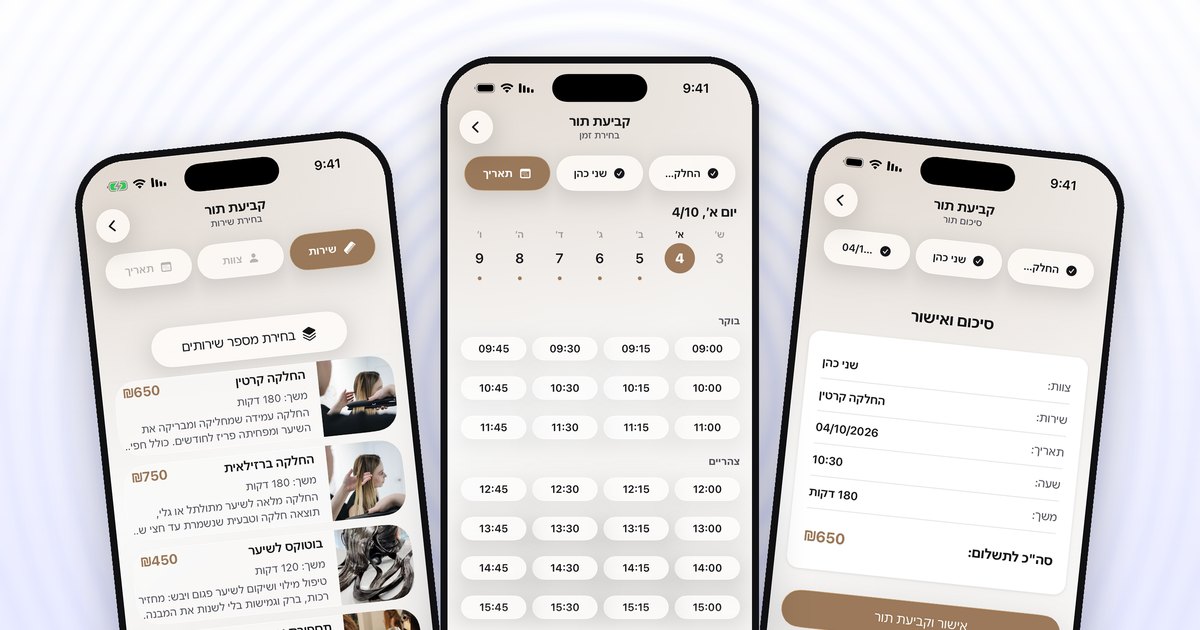
Many last-minute cancellations are really reschedules that didn't happen in time. When moving an appointment is two taps in the app, with no waiting for a reply, customers do it earlier. For the salon, a reschedule a week ahead is almost always better than a cancellation that morning. The change goes straight into the calendar, and the old time becomes available again.
When an appointment has already been canceled: fill it and spot patterns
4. A waitlist that fills the gap
Even with all the preparation, cancellations will happen. The question is what happens to the time. In OverTor, customers can join the waitlist for a day that is full, or for days that haven't opened for booking yet. When an appointment opens up, it is offered to the list automatically, and the owner chooses how:
- Priority to the first in line: the offer goes out in the order people signed up.
- A message to everyone at once: whoever books first gets the time.
That way a cancellation three hours before becomes an appointment for another customer who was waiting for it. There is more detail in the article on the smart waitlist.
5. Track attendance and late arrivals for each customer
Most customers show up on time, but a few miss appointments again and again. Without tracking, they are hard to spot. OverTor tracks no-shows and late arrivals for each customer, and after a number the owner sets, the customer is flagged. You can also choose to limit booking for customers with repeated no-shows, and the record resets after a period of time or after a few visits with no problems, so no one is "punished" forever. And if you want, you can send a follow-up message that the owner approves before it goes out.
Plan ahead: a calendar that holds
6. Open the calendar gradually
The further ahead an appointment is booked, the more likely it is to be canceled. Setting a booking window, meaning how far ahead customers can book, helps keep the calendar realistic. In OverTor you can also open the calendar gradually based on how full it is, so new days open as the nearest ones fill up. Someone who wants a date that hasn't opened yet can join the waitlist instead of reserving an appointment "just in case."
7. Book the next appointment at the end of the treatment
A customer who is still sitting in the salon, after a good treatment, knows exactly when it suits them to come back. An appointment booked at that moment is well planned, unlike one booked under pressure once it turns out everything is full. One short line at the end of the treatment, "Want to book the next one now?", and the customer opens the app and books it. In a salon with several estheticians, they can also choose the same esthetician again, because each one has their own calendar and services.
How to put all seven together
You don't need to switch everything on in one day. A sensible order to start with:
- Turn on reminders and set a cancellation policy.
- Allow self-rescheduling and the waitlist.
- After a month, turn on attendance tracking and decide on a threshold.
- Fine-tune the booking window based on what you see in the calendar.
The bottom line
Last-minute cancellations won't disappear completely, but you can reduce them and limit the damage. Reminders and a clear policy bring cancellations forward, self-rescheduling turns them into reschedules, the waitlist fills the times that open up, and attendance tracking takes care of the repeat cases.
Want a beauty salon with fewer empty hours? Download OverTor, open your business with a free trial, and set up reminders, a cancellation policy and a waitlist from day one.